Dropbox
Access knowledge from Dropbox
How it works
The Dropbox connector ingests all documents from your Dropbox account into Negere-Fej.
The connector recursively pulls all files from the root directory of your Dropbox account. It is currently not possible to pull files only from specific directories.
The connector will only pull once upon initialization. If you would like to pull more documents, you must generate a new access token (step 5 below), put that token into the connector, and re-initialize the connector.
Authorization
Create Dropbox app
Head over to https://www.dropbox.com/developers/apps and click the Create app button on the top right. Select Scoped access and Full Dropbox as the type of access. Give your app a name like 'Negere-Fej Connector' and click Create app.
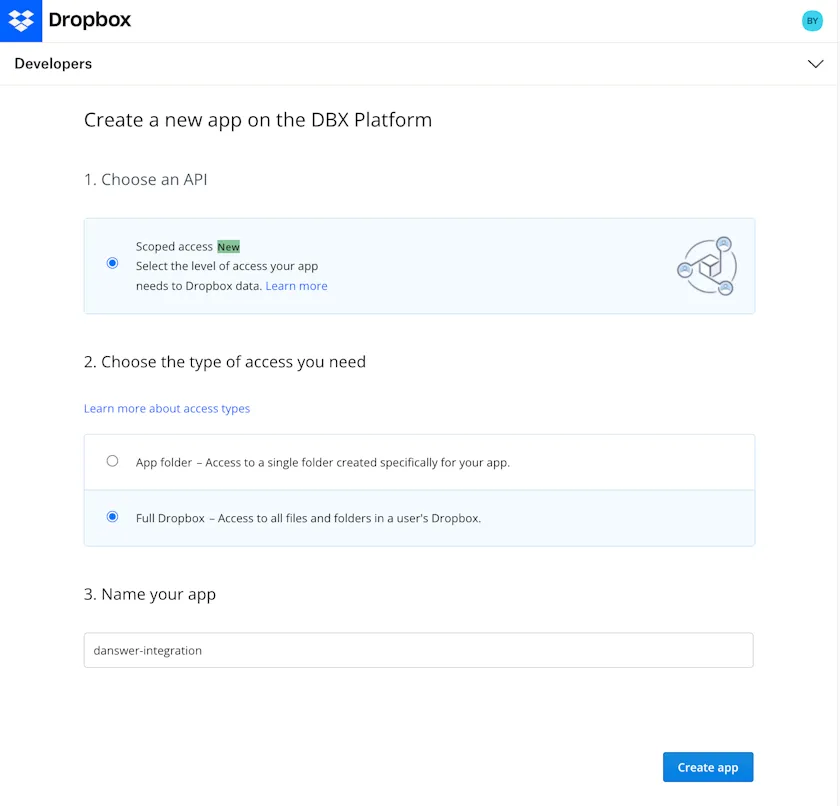
Dropbox app creation page
Open Permissions
Click on the Permissions tab.
Grant required scopes
Check the files.content.read and sharing.write permissions so the files can be read and links for the documents can be created. Click Submit to save the changes.
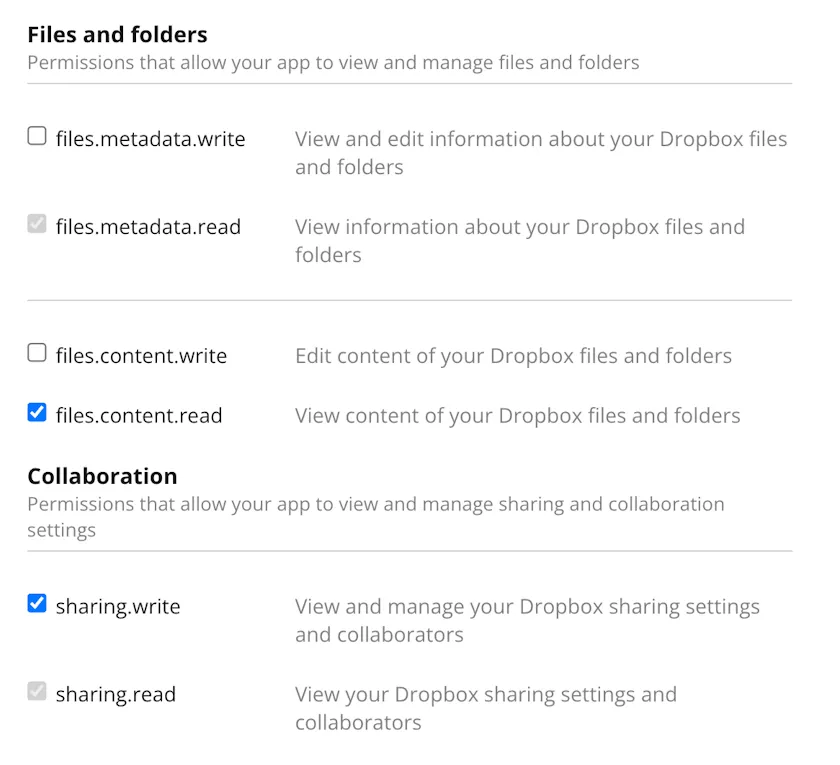
Dropbox permissions configuration
Generate access token
Navigate to the Settings tab and scroll down to the OAuth 2 section. Click Generate to generate an access token.
Important: You must complete granting permissions before generating an access token. Changing permissions will not affect existing access tokens, and Negere-Fej will be unable to index your Dropbox.

Dropbox access token generation
Copy access token
Copy the access token.
Tip: Refresh the page if you need to regenerate your access token
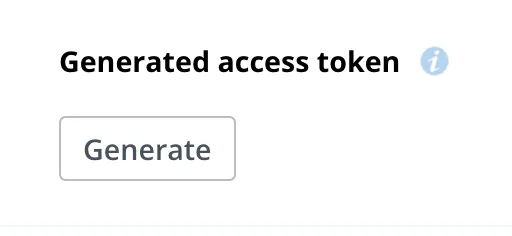
Dropbox access token copy
Indexing
Open Dropbox connector
In the Negere-Fej UI, navigate to the Admin Panel and select the Dropbox Connector
Enter access token
Provide the access token from the previous step
Start indexing
Click Connect to begin indexing your Dropbox files